The Medical Laboratory Science Council of Nigeria (MLSCN) is the regulatory body for medical laboratory professionals in Nigeria. The MLSCN Portal serves as the official online platform for members of the profession to manage various services, including registration, license renewals, and payments for different activities, such as certification and training.
In this guide, we’ll walk you through the steps for logging in, registering, renewing your MLSCN license, and making payments through the Remita payment system.
What is the MLSCN Portal?
The MLSCN Portal is an online platform where medical laboratory scientists, technologists, and laboratory assistants in Nigeria can access a variety of services. Through the portal, users can:
- Register as a new member of the MLSCN.
- Renew their licenses to practice as medical laboratory professionals.
- Make payments for services such as certification, license renewal, and other fees through Remita, the central payment platform.
How to Login to the MLSCN Portal
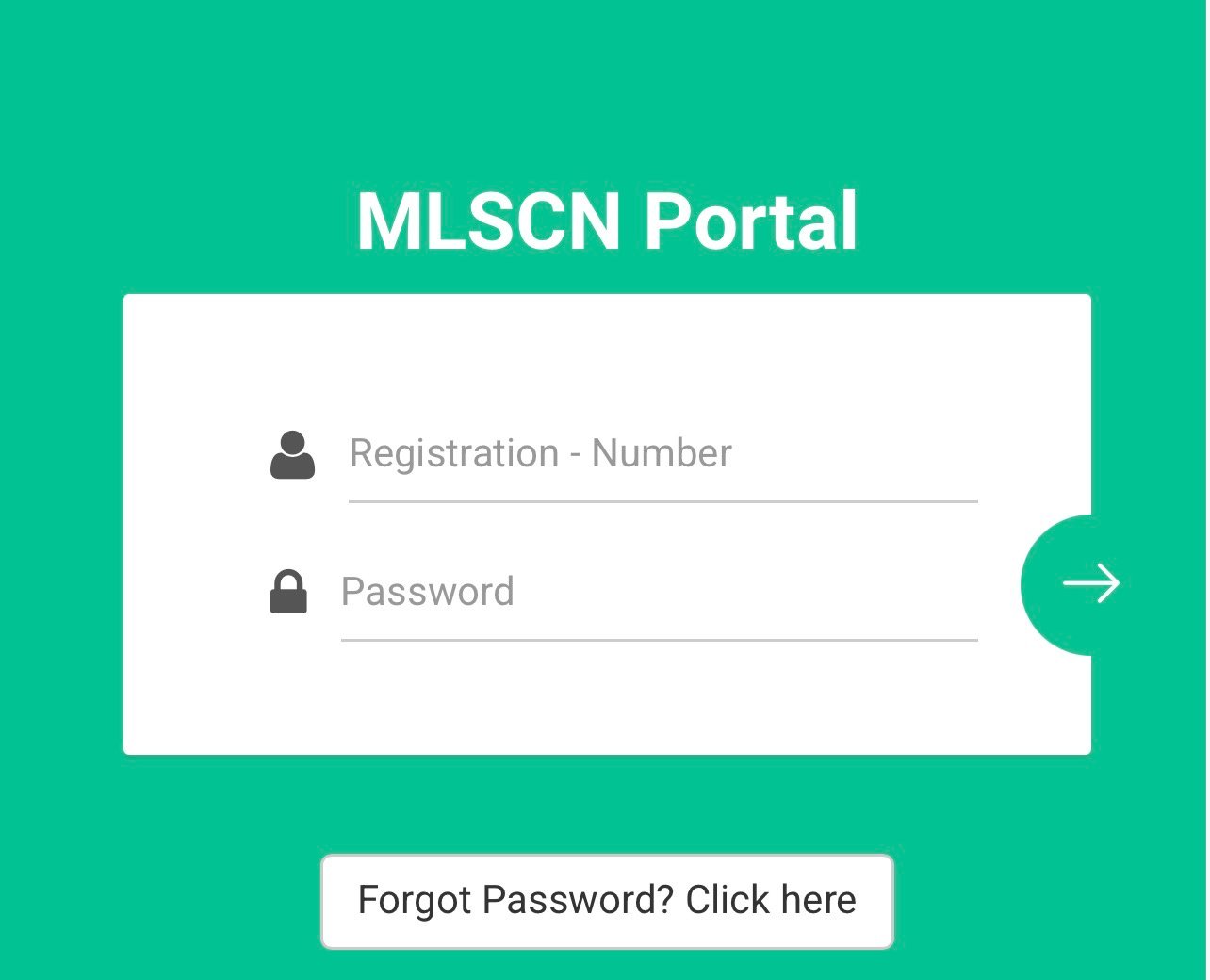
If you are a registered medical laboratory professional and you already have an account, logging in to the MLSCN Portal is easy. Follow these steps:
- Visit the MLSCN Portal: Open the official MLSCN website on your browser.
- Click on the Login Button: On the homepage, find and click on the Login button to access your account.
- Enter Your Credentials: You will be asked to input your email address and password. These are the details you used during the initial registration or when creating your account.
- Click Login: After entering your credentials, click the Login button. You should now be directed to your MLSCN dashboard where you can manage your profile, renew your license, or make payments.
If you forget your login details, the portal will have an option to reset your password or recover your account.
How to Register on the MLSCN Portal
If you are a new medical laboratory professional and need to register on the MLSCN portal for the first time, here’s what you need to do:
- Go to the MLSCN Portal: Navigate to the official MLSCN website on your browser.
- Click on the Registration Button: On the homepage, locate and click on the Registration button. This will take you to the registration page.
- Fill in Your Personal Information: Enter all required personal details, including your full name, email address, phone number, date of birth, and professional qualifications. You may also be asked to upload relevant documents, such as your degree certificate, proof of training, and credentials.
- Create a Password: You will need to set up a secure password for your account. Make sure to choose a password that is strong and easy for you to remember.
- Submit Your Registration: After filling in all necessary details and uploading your documents, review everything and click Submit to complete your registration.
- Confirmation Email: Once your registration is successful, you will receive a confirmation email. Follow the link in the email to verify your account.
After registration, you can proceed with login and continue to manage your MLSCN activities, including license renewals and payment.
How to Renew Your MLSCN License
Renewing your MLSCN license is an important step for professionals who want to continue practicing legally in Nigeria. Here’s how you can easily renew your license on the MLSCN portal:
- Log in to the MLSCN Portal: Use your credentials to log in to your account.
- Go to the License Renewal Section: After logging in, navigate to the License Renewal section on your dashboard.
- Fill in Required Information: Enter any required information, such as your professional details and the date your current license expires.
- Pay the Renewal Fee: You will be asked to make a payment for the renewal of your license. You can make this payment through Remita. Follow the instructions provided to proceed with payment.
How to Make Payment for License Renewal through Remita
The Remita payment platform is commonly used for processing payments on the MLSCN portal. Here’s how to use Remita to pay for your license renewal:
- Click on “Pay Now” or “Proceed to Payment”: When renewing your license, you will be directed to a payment page. Select the Remita payment option.
- Choose Your Payment Method: Remita offers different payment methods, including:
- Credit/Debit Card
- Bank Transfer
- Mobile Payment Options
- Generate Remita Payment Invoice: After selecting your payment method, click to generate a Remita Payment Invoice. This invoice will show the amount to be paid and other payment details.
- Make Payment: Use your chosen payment method to complete the payment.
- Get Payment Confirmation: Once the payment is successful, you will receive a confirmation email or receipt with your payment details. Your license renewal will then be processed.
After completing your payment, return to the MLSCN portal to confirm that your license renewal has been updated.
Common Issues and Troubleshooting
If you encounter any issues while trying to login, register, or renew your license, here are a few common problems and how to solve them:
- Unable to Login:
- Double-check that you are entering the correct email and password.
- Use the Forgot Password option to reset your password if needed.
- Payment Issues:
- If the payment through Remita is unsuccessful, check that your card or account has sufficient funds.
- Ensure that you are using the correct Remita invoice number when making payment.
- Document Upload Failures:
- Make sure the files you are uploading meet the file size and format requirements outlined on the portal.
- If you encounter a technical issue, contact MLSCN support for assistance.
- Delayed Processing:
- Some processes, especially license renewals, may take time. If you have made your payment and haven’t received confirmation, wait up to 72 hours before contacting customer support.
Conclusion
The MLSCN Portal is a crucial tool for medical laboratory professionals in Nigeria. Whether you’re registering as a new member, renewing your license, or paying fees through Remita, the portal offers a seamless experience for managing all your MLSCN-related tasks. Follow the steps outlined above to ensure your membership status is up-to-date and that your practice license remains valid.
If you have any difficulties, don’t hesitate to reach out to the MLSCN support team for assistance, ensuring a smooth and hassle-free process.
Be the first to comment